To access the Captions Editor through the Actions menu Edit option
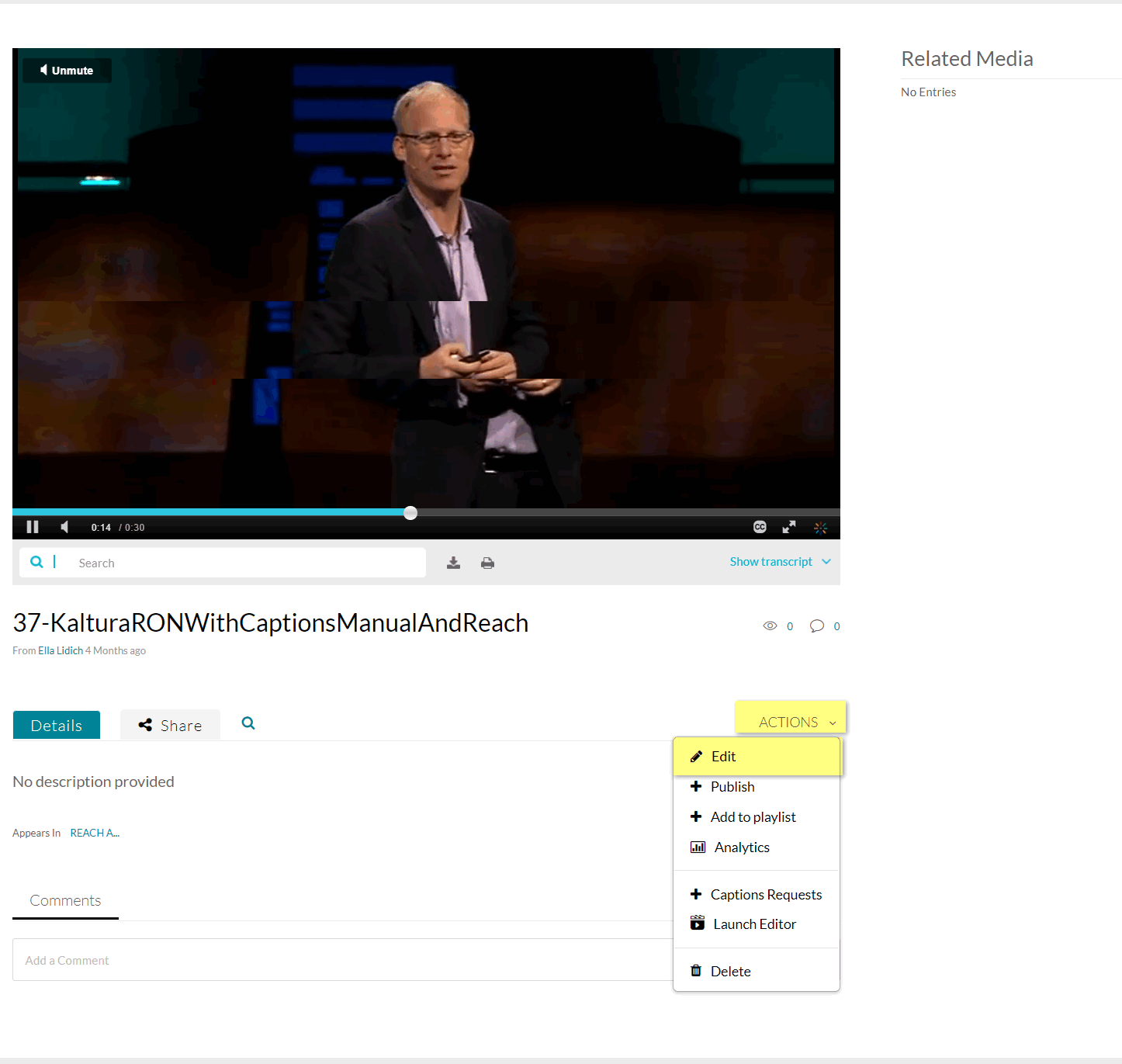
- Go to My Media and select a media entry with captions.
- Select Edit from the Actions drop-down menu.
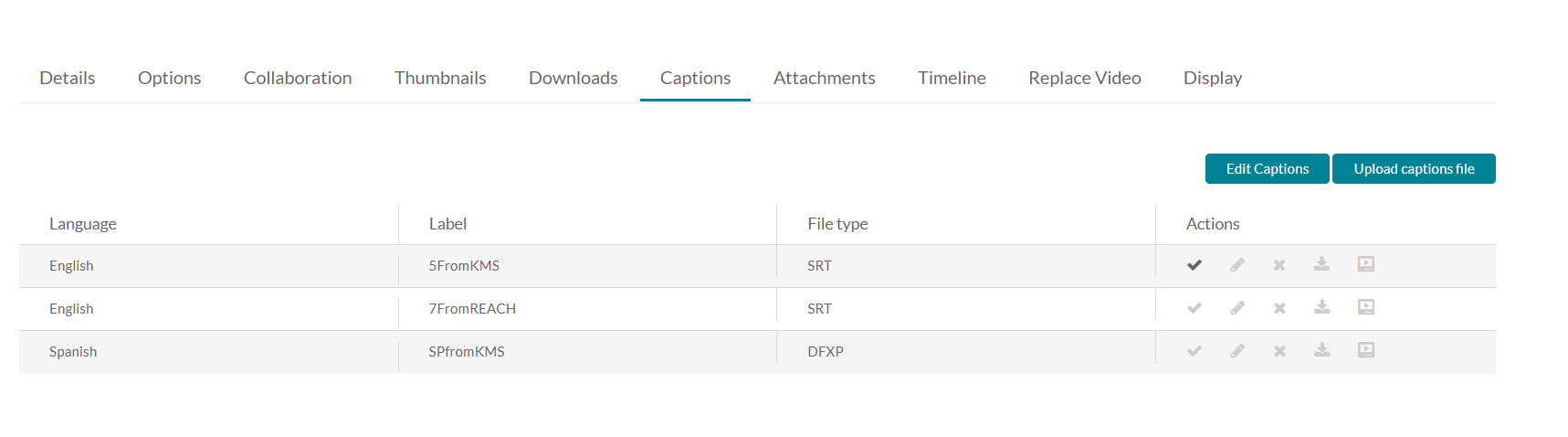
- Select the Captions tab and then click Edit Captions.
The Editor is displayed.
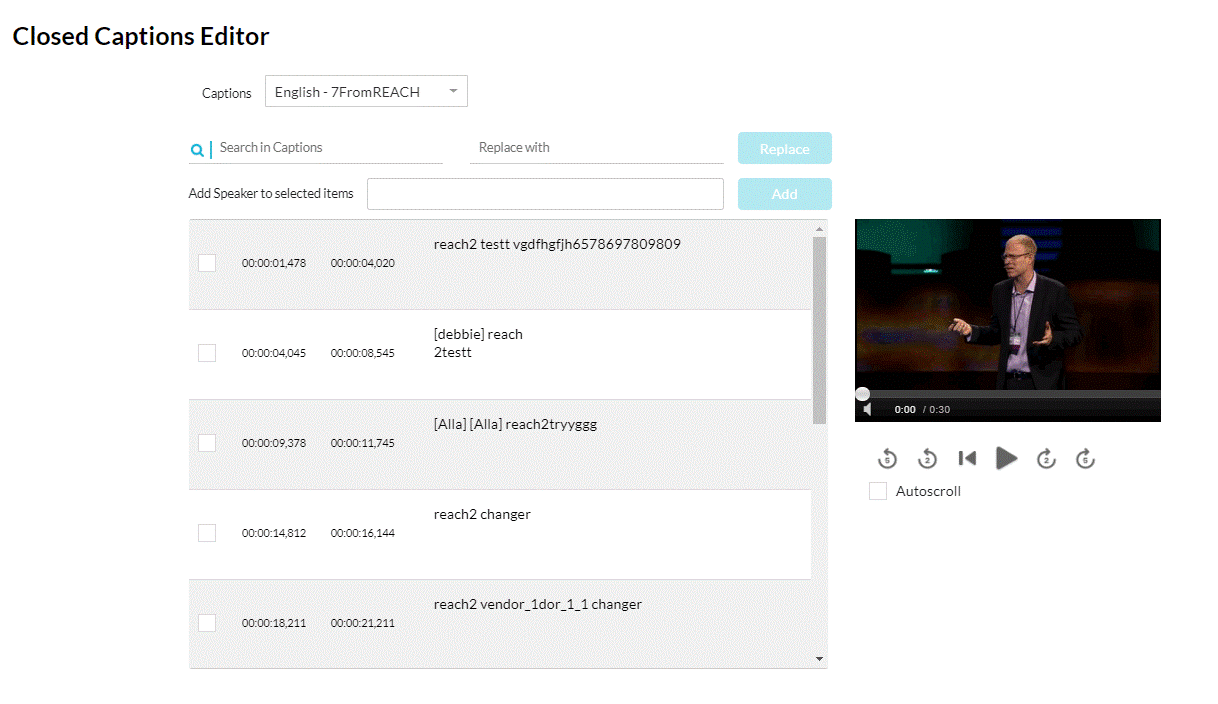
- Edit Timestamp of Each Line
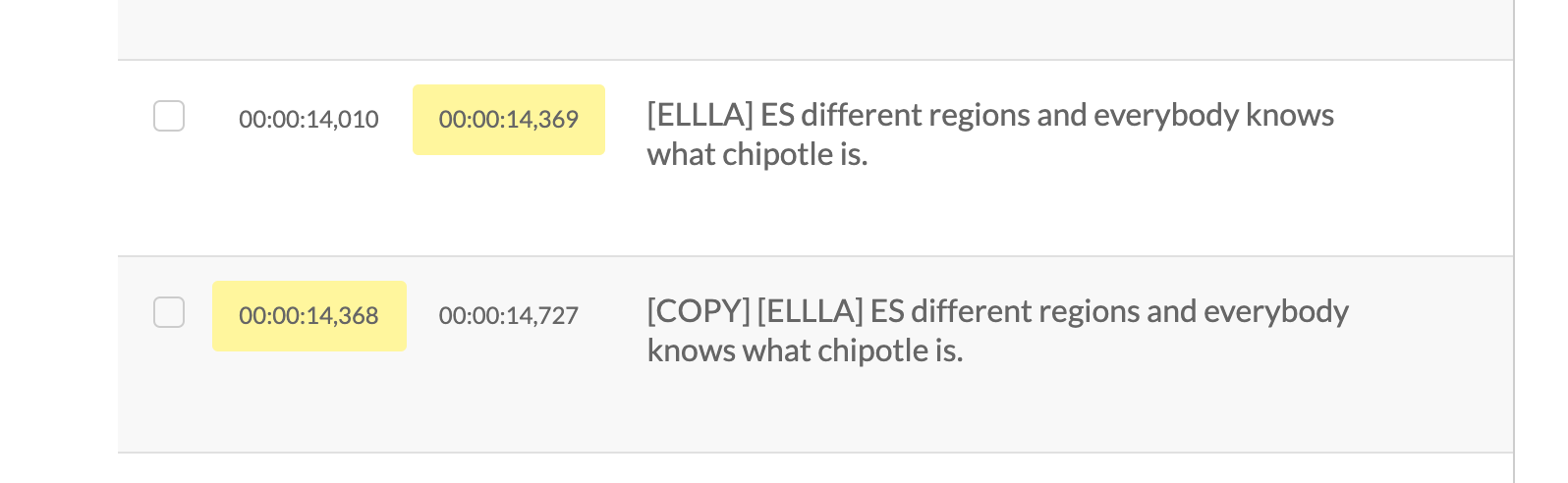
Click on the timestamp in the editor and modify the time. If there is overlapping time, the system highlights the overlapping time.
Add/Remove a Caption Line
Hover over the caption line to display editing options.
- Plus Sign
- Trash icon - Click to remove the caption line
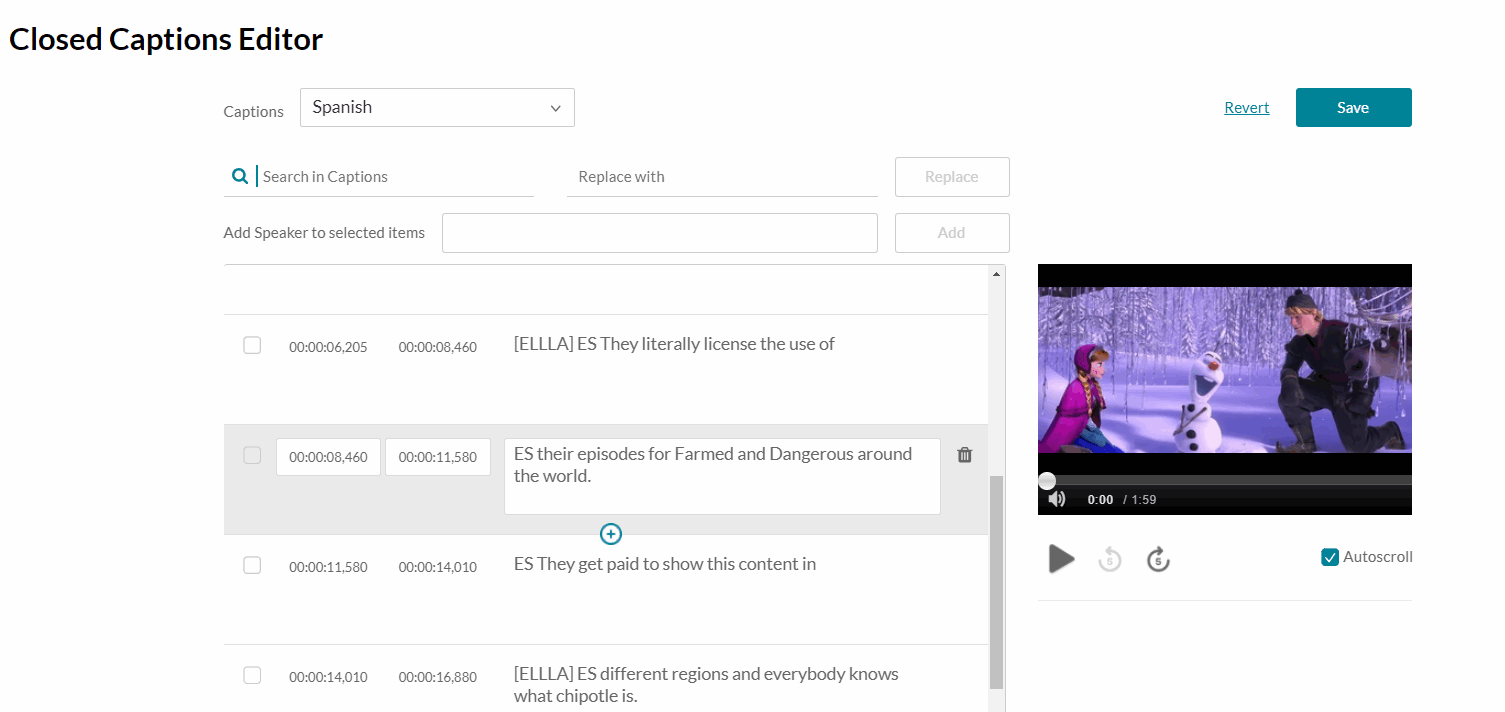
To add a caption line
- Click the Plus sign to add a new caption line. The line is duplicated and may be edited.
- Click the line you want to modify. You can modify the original line or the copy.
- Change the caption text. When you modify text, a countdown appears to indicate the amount of characters you have left.
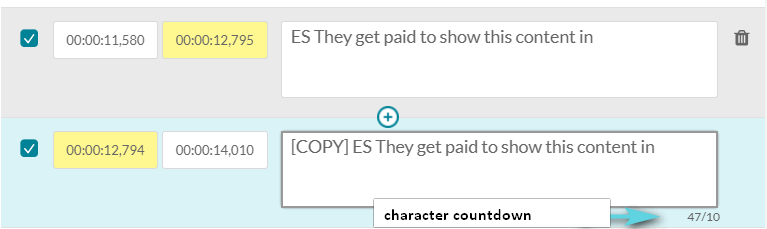
- Be certain to modify the time so that there is no overlap.
Save
Saves the modified caption file.